저희와 상담해 보세요 서버 섀시 엔지니어 및 영업팀




구독자 24,000명
사용 목적, 섀시 유형, 랙 높이, 마더보드, GPU, 드라이브 베이, 전원 공급 장치, 냉각 시스템, I/O 및 주문 수량을 알려주십시오. 당사의 엔지니어 및 영업팀이 귀사의 프로젝트에 적합한 표준 모델 또는 OEM/ODM 구성을 추천해 드리겠습니다.
구독자 24,000명
사용 목적, 섀시 유형, 랙 높이, 마더보드, GPU, 드라이브 베이, 전원 공급 장치, 냉각 시스템, I/O 및 주문 수량을 알려주십시오. 당사의 엔지니어 및 영업팀이 귀사의 프로젝트에 적합한 표준 모델 또는 OEM/ODM 구성을 추천해 드리겠습니다.

타워형 서버는 전용 데이터 센터나 서버실이 없이 1~2대의 시스템만 필요한 클리닉, 법률 사무소, 소매점 또는 지사에 가장 적합합니다. 타워형 서버 섀시는 직립형 PC와 유사한 형태를 띠며, 소음이 적은 환경이나 첫 서버 도입 시에 적합합니다.
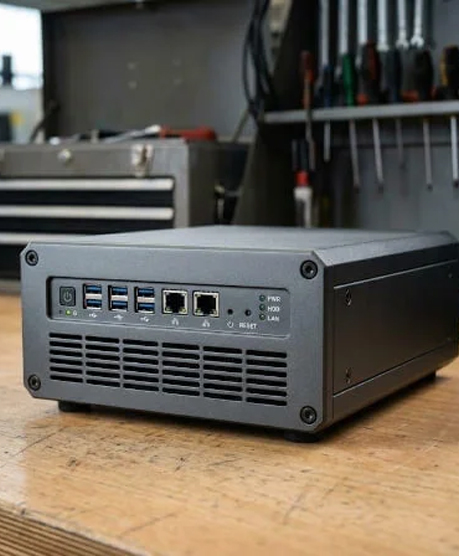
미드 타워 ATX 케이스는 표준 하드웨어를 지원하며, 풀 타워는 더 많은 내부 확장성을 제공합니다.
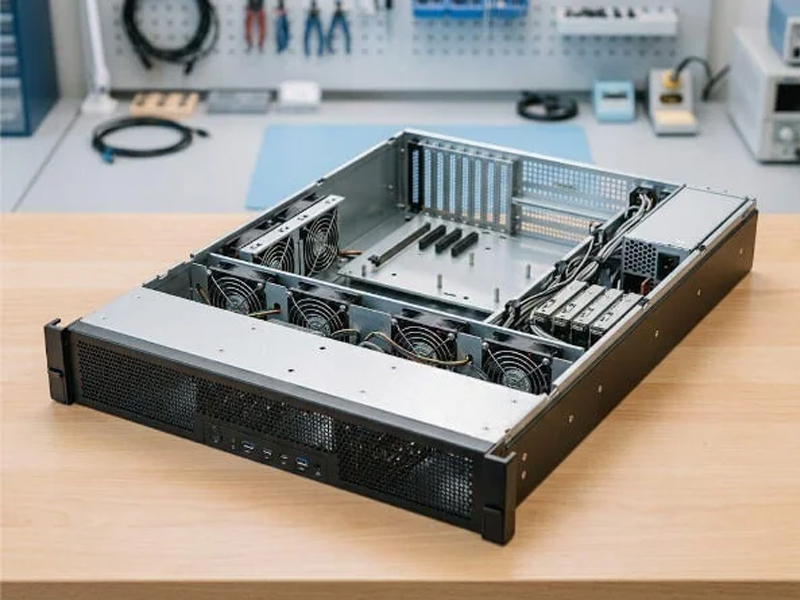
먼저 구축 환경을 선택한 다음, 마더보드 크기, 전원 공급 장치, 드라이브 베이, 확장성, 냉각, 랙 깊이 및 케이블 배선 등을 확인하십시오. 서버 인프라는 항상 안전하게 보호되고 접근 가능해야 하므로, 제작 품질과 유지보수 용이성은 매우 중요합니다.
| 서버 케이스 유형 | 가장 적합한 대상 | 주요 Aadvantage 혜택 | 중요 사항 |
|---|---|---|---|
| 타워 | 소규모 사무실과 첫 서버 | 조용한 배치와 친숙한 접근성 | 바닥 면적과 제한된 중앙 집중화 |
| 랙마운트 | 기업용 IT, 호스팅, 가상화 | 체계적인 하드웨어 관리, 케이블 배선 및 유지보수 | 랙 깊이, 레일, 소음 및 냉각 |
| 블레이드/고밀도 | 엔터프라이즈 가상화 및 고성능 컴퓨팅(HPC) | 공유 인프라에서의 통합 컴퓨팅 | 섀시, 전원, 냉각 및 네트워크 의존성 |
| 저장 장치/JBOD | NAS, 백업, 감시, 아카이브 | 대용량 저장 공간 및 사용 가능한 디스크 | 백플레인, 컨트롤러, 베이 및 드라이브 호환성 |
타워형 서버는 전용 데이터 센터나 서버실이 없이 1~2대의 시스템만 필요한 클리닉, 법률 사무소, 소매점 또는 지사에 가장 적합합니다. 타워형 서버 섀시는 직립형 PC와 유사한 형태를 띠며, 소음이 적은 환경이나 첫 서버 도입 시에 적합합니다.
미드 타워 ATX 케이스는 ATX 전원 공급 장치를 사용할 수 있는 반면, 풀 타워 워크스테이션은 내부 확장성이 더 뛰어나다. 상품 설명에는 ATX 메인보드, 마이크로-ATX, 미니-ITX, ATX 지원, ATX 전원 공급 장치, 대형 ATX, 5.25인치 베이스 3개, 5.25인치 베이스 2개, PCI 슬롯 7개, 또는 Rosewill Thor NAS와 같은 용어가 언급될 수 있습니다. 모든 문구는 모델별로 상이할 수 있으므로 주의하여 해석하십시오.
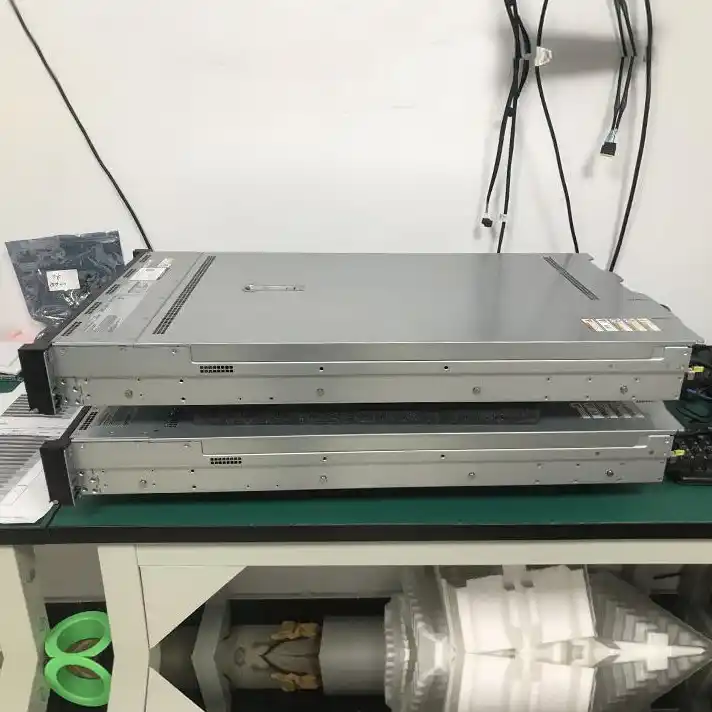
랙 마운트 서버는 여러 대의 서버, 호스팅 플랫폼 및 가상 머신을 중앙 집중화하는 기업에 가장 적합합니다. 랙 마운트 시스템은 표준화된 서버 랙에 수평으로 설치되어, 팀이 하드웨어, 케이블 연결, 냉각 및 유지보수를 체계적으로 관리할 수 있도록 도와줍니다.
랙마운트 서버 케이스를 주문하기 전에 레일, 랙 깊이, 전면 패널 접근성, USB 3.0 포트 2개 필요 여부, 케이블 여유 공간, 그리고 랙마운트 섀시가 표준 랙마운트 레이아웃을 따르는지 여부를 확인하십시오. 랙마운트 케이스는 효율적인 서버 운영을 지원할 수 있지만, 팬 소음과 실내 냉방에 대해서는 사전에 계획을 세워야 합니다.
1 랙 유닛은 1.75인치에 해당합니다. 1U 설계는 밀도를 최우선으로 하는 반면, 2U 서버 섀시는 더 나은 냉각 성능, 더 많은 저장 공간 및 PCIe 슬롯을 제공합니다. 2U 랙마운트 서버 섀시는 성장하는 서버 솔루션에 있어 균형 잡힌 선택지인 경우가 많으며, 보다 단순한 2U 섀시는 특정 스토리지 또는 컴퓨팅 구성을 목표로 할 수 있습니다.
3U 섀시 또는 3U 서버 섀시는 더 높은 구성 요소를 장착할 수 있습니다. 4U 서버 섀시 또는 4U 랙마운트 서버 케이스는 더 큰 메인보드, GPU 및 더 많은 드라이브 장착 공간을 수용할 수 있습니다. 일부 4U 케이스는 80mm 팬, 120mm 팬 또는 전면 120mm 팬을 사용합니다. 5U 설계는 더 많은 수직 공간을 제공합니다. 주요 고려 사항은 랙 밀도와 확장성 간의 균형입니다.
블레이드 서버는 대규모 가상화 클러스터, 엔터프라이즈 컴퓨팅 및 특정 고성능 컴퓨팅(HPC) 워크로드에 가장 적합합니다. 모듈형 컴퓨팅 노드들은 하나의 인클로저와 전원 공급 장치, 냉각 시스템, 관리 시스템, 네트워킹을 공유하므로 인프라를 통합할 수 있습니다.
표준화된 배포와 중앙 집중식 관리가 인클로저 투자 비용을 정당화할 수 있는 경우에는 고밀도 시스템을 선택하십시오. 대신 모듈식 플랫폼에 대한 의존도가 높아지고, 용량 계획을 신중하게 수립해야 한다는 단점이 있습니다.
공장
기술 지원
100 %
건강에 무해한
스토리지 섀시는 네트워크 연결 스토리지(NAS), 단순 디스크 배열(JBOD), 백업, 아카이빙 및 감시 영상 보관 용도에 가장 적합합니다. 최대 컴퓨팅 밀도보다 스토리지 요구 사항, 스토리지 옵션 및 유지보수가 가능한 드라이브 베이의 수가 더 중요한 경우 이 섀시를 선택하십시오.
모델 사양서에는 SATA, SAS, 핫스왑 지원 3.5인치 디스크, x 3.5 HDD 장착 위치 또는 x 2.5 SSD 슬롯이 명시될 수 있습니다. 4 x 3.5, 7 x 3.5, 8 x 3.5, 11 x 3.5, 13 x 2.5 또는 24개 드라이브와 같은 수치는 모든 모델에 적용되는 것이 아닙니다. 컨트롤러, 백플레인, 베이 간격, 냉각 및 케이블 요구 사항을 확인하십시오.
GPU 워크스테이션이나 렌더링 서버는 AI, 시각화, 시뮬레이션 및 기술 컴퓨팅에 가장 적합합니다. 풀 사이즈 PCIe 카드, 강력한 공기 흐름, 고출력 전원 공급 장치 및 유지보수 접근성이 필요한 경우에는 더 큰 4U 시스템을 선택하십시오.
E-ATX 또는 CEB 마더보드의 호환성, 슬롯 간격, 카드 고정 방식, 전원 공급 장치(PSU) 길이 및 방열 설계를 확인하십시오. 구매자는 Supermicro 섀시나 Chenbro, Rosewill, SilverStone, iStarUSA의 제품을 접할 수 있으므로, 해당 브랜드의 모든 제품이 호환된다고 가정하지 말고 정확한 사양을 비교해야 합니다.
먼저 작업 부하와 설치 장소를 고려한 뒤, 메인보드 크기, 전원 공급 장치(PSU) 형식, 랙 깊이, 확장 슬롯, 드라이브 크기, 백플레인, 냉각 방식 및 케이블을 이에 맞춰 선택하십시오. 제품 사양은 제각각이므로, 미니-ITX, ATX, E-ATX, CEB 등 다양한 메인보드는 모든 모델에서 호환되지 않습니다.
제품군 명칭뿐만 아니라 메인보드의 정확한 크기와 장착 패턴도 확인하십시오. ATX 서버 케이스가 모든 대형 메인보드에 호환되는 것은 아닙니다.
아닙니다. 일부 설계는 ATX 전원 공급 장치를 사용하지만, 다른 설계는 이중화 전원 공급 장치나 전용 장치가 필요합니다. 전기 용량, 커넥터 유형, 물리적 크기 및 공기 흐름 방향을 확인하십시오.
현재 데이터, 중복 구성, 확장성, 예비 부품 및 백업 전략을 고려하십시오. 드라이브 베이를 추가하면 용량, 전력 소비량, 발열량, 무게 및 컨트롤러 요구 사항이 증가할 수 있습니다.
작업 부하, 배포 환경, 마더보드 폼 팩터, CPU 또는 GPU 요구 사항, 드라이브 수, 랙 깊이, 냉각, 네트워킹, 확장성 및 전원 요구 사항을 알려주세요. 당사는 타워형, 랙마운트형, 스토리지 및 고밀도 섀시를 비교 분석해 드리고, 이에 적합한 솔루션을 추천해 드리겠습니다.


