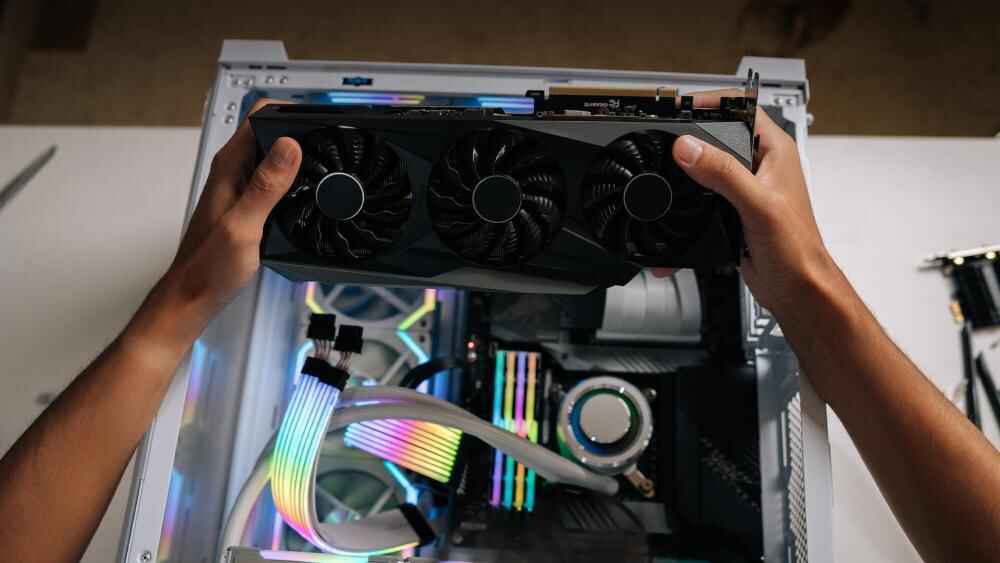
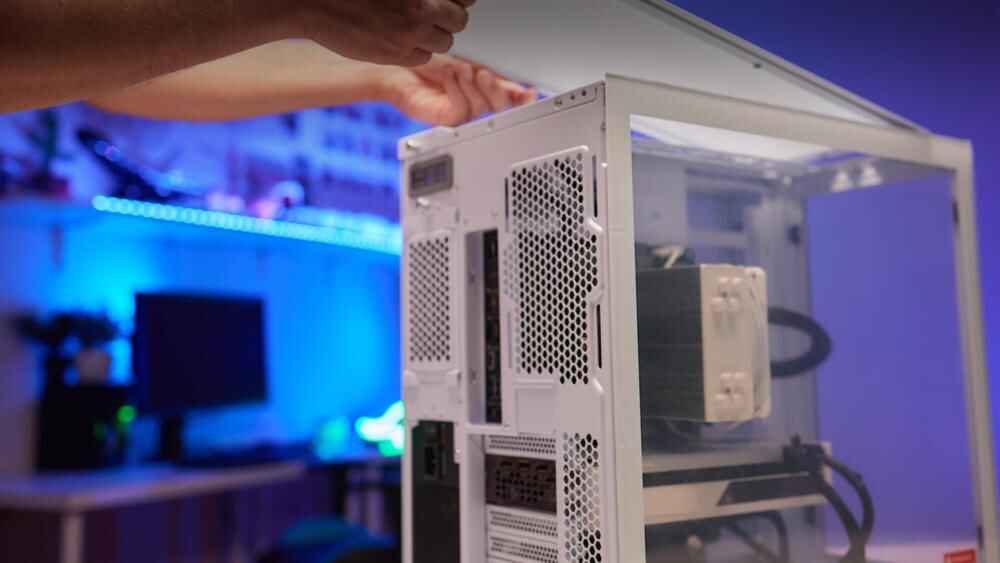
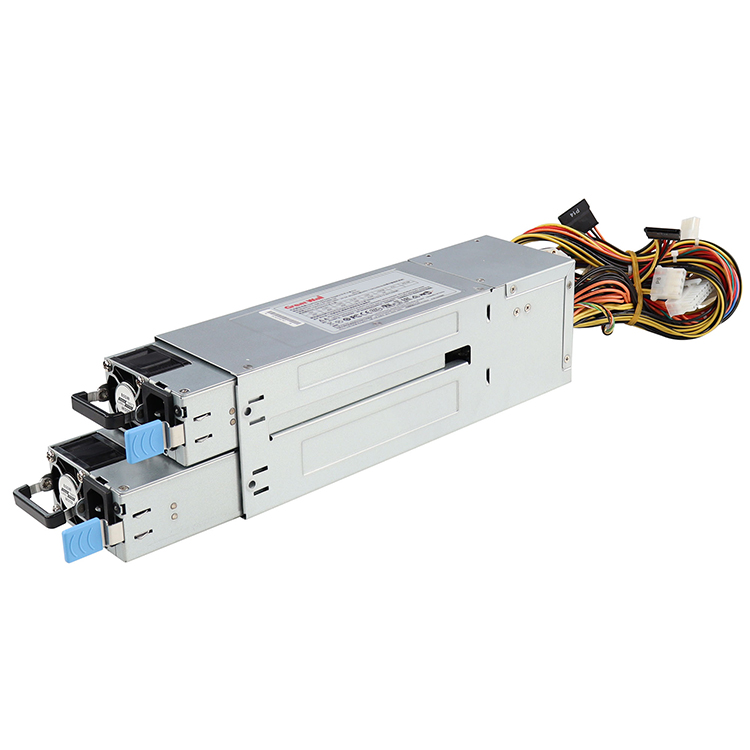
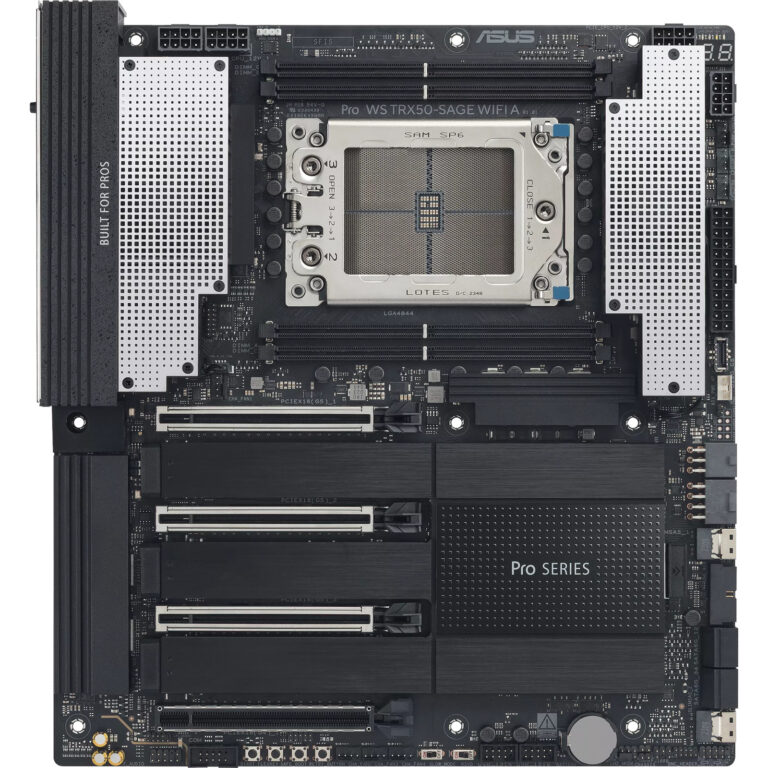
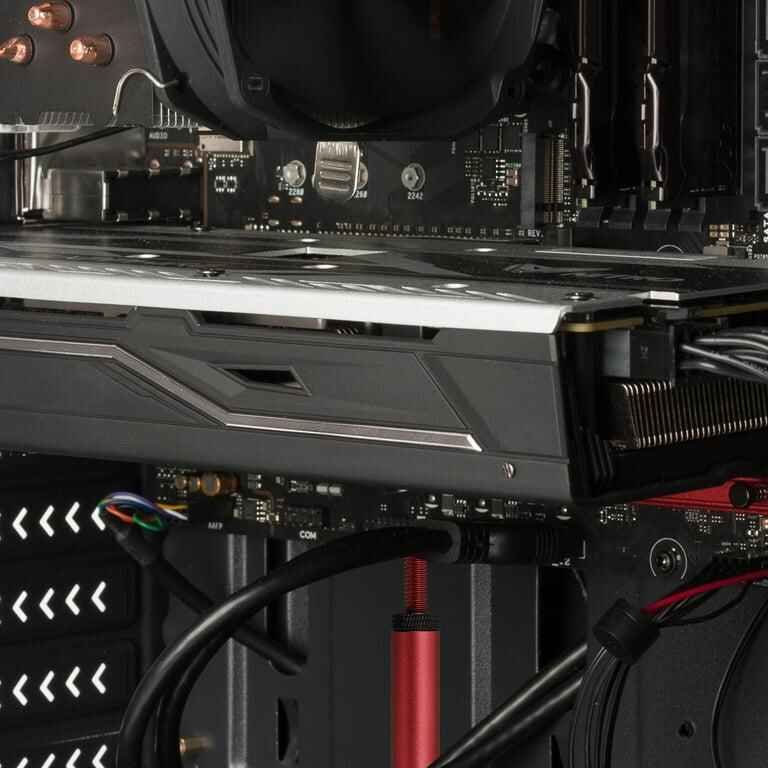
لا تقم أبدًا بالموافقة على حاوية ما بناءً على طول وحدة معالجة الرسومات (GPU) وحده. تحقق من الطول والارتفاع والسماكة وموضع الموصل ومساحة انحناء الكابل ومكونات التثبيت وتدفق الهواء ومسار التثبيت الفعلي.
تحقق من الرقم التسلسلي الدقيق لبطاقة الرسومات, ، وليس مجرد عائلة وحدات معالجة الرسومات (GPU). فقد يختلف طول بطاقتي RTX 5090 عن بعضهما بأكثر من 50 ملم.
تصف أبعاد وحدة معالجة الرسومات (GPU) المنشورة مواصفات البطاقة. إلا أنها لا تصف دائمًا المساحة الكاملة التي تحتاجها البطاقة المثبتة.
توصي شركة NVIDIA بتوفير مساحة إضافية حول بعض بطاقات الرسومات المتطورة من أجل تمرير كابلات الطاقة وتسهيل تدفق الهواء، مما يثبت أن الأبعاد الاسمية للبطاقة ليست سوى نقطة البداية.
يمكن أن تؤدي المراوح الأمامية، والمبردات، وأقفاص محركات الأقراص، وحوامل الدعم، والرافعات، والصفائح المعدنية الهيكلية إلى تقليل المساحة الخالية المتاحة لوحدة معالجة الرسومات (GPU).
بالنسبة لمشاريع تصنيع المعدات الأصلية (OEM) ومشاريع الإنتاج المتكرر، يجب التحقق من صحة التكوين النهائي باستخدام الرسومات والنموذج الأولي المادي قبل تثبيت تصميم الهيكل.
قد يبدو اختيار غلاف لوحدة معالجة الرسومات (GPU) أمرًا سهلاً.
احسب طول البطاقة. احسب مواصفات الهيكل. قارن بين الرقمين.
تم.
إلا أن هذا هو بالضبط ما يؤدي إلى حدوث أخطاء التوافق المكلفة.
لا يعني بالضرورة أن بطاقة معالجة الرسومات (GPU) التي يبلغ طولها 330 ملم ستتناسب بسهولة داخل هيكل يُعلن عن مسافة قصوى مخصصة للبطاقة تبلغ 350 ملم. فقد تختفي الـ 20 ملم المتبقية بعد إضافة جدار المروحة الأمامية، أو المبرد، أو موصل الطاقة، أو دعامة التثبيت، أو حزمة الكابلات، أو حافة الصفائح المعدنية، أو الزاوية المطلوبة لتمرير البطاقة فعليًّا عبر الفتحة.
هذا التمييز له أهمية أكبر بكثير في مشاريع الأجهزة بين الشركات (B2B) مقارنةً بتجميع جهاز كمبيوتر مكتبي لمرة واحدة.
إذا كنت تطلب 100 أو 500 أو 2,000 نظام، فإن عبارة “من المحتمل أن نتمكن من تكييف الأمر” لا تُعد مواصفة توافقية.
إنه مشروع قانون لإعادة صياغة قانون مستقبلي.
أبعاد وحدة معالجة الرسومات (GPU) هي نطاق ثلاثي الأبعاد، وليست رقمًا واحدًا
عندما يتحدث المهندسون عن أبعاد وحدة معالجة الرسومات (GPU)، هناك ثلاثة قياسات واضحة:
الطول — يُقاس عادةً من حامل منافذ الإدخال/الإخراج الخلفي باتجاه الطرف المقابل للبطاقة.
الارتفاع — المسافة الممتدة لأعلى من واجهة PCIe باتجاه اللوحة الجانبية أو غطاء الهيكل.
السماكة — المساحة الجانبية التي تشغلها فتحات التوسعة PCIe.
هذه الأرقام مهمة.
إنها ببساطة غير كافية.
ويمكن أن يشمل نطاق التثبيت الفعلي أيضًا ما يلي:
بروز موصل الطاقة؛;
نصف قطر انحناء الكابل؛;
هندسة الدعامة الخلفية؛;
بروز المبدد الحراري أو الغطاء؛;
سماكة اللوحة الخلفية؛;
الأجهزة التي تدعم وحدة معالجة الرسومات (GPU)؛;
بطاقات الارتفاع؛;
بطاقات PCIe المجاورة؛;
جدران المروحة؛;
مجموعات المشعاعات؛;
أقفاص محركات؛;
قنوات توجيه الكابلات؛;
تقوية الهيكل؛;
المساحة اللازمة للإزالة والتركيب.
ولهذا السبب، فإن المشترين الذين يبحثون عن أبعاد بطاقة الرسومات فيما يتعلق بخوادم GPU، ينبغي البدء بالبطاقة المستخدمة فعليًّا في الإنتاج، بدلاً من افتراض أن كل بطاقة تعتمد على نفس وحدة معالجة الرسومات (GPU) ستشغل نفس الحجم الميكانيكي.
قد يكون السيليكون هو نفسه.
أما المعدن المحيط به فغالبًا ما لا يكون كذلك.
تُظهر المواصفات الحالية لوحدة معالجة الرسومات (GPU) مدى ضخامة الفرق الذي يمكن أن يحدث
إليكم مقارنة مفيدة من واقع الحياة.
تطرح شركة NVIDIA حاليًا بطاقة GeForce RTX 5090 Founders Edition التي يبلغ طولها 304 ملم وعرضها 137 ملم. وتذهب إرشادات التركيب الخاصة بها إلى أبعد من ذلك: تقول NVIDIA إن العلبة يجب أن توفر مساحة لـ أبعاد التثبيت: 304 × 137 × 61 ملم, ، في حين أن آخر يجب تخصيص مساحة تبلغ 36 ملم لكابلات الطاقة. كما توصي شركة NVIDIA بترك مساحة خالية حول بطاقة الرسومات تعادل حجم فتحة توسعة أخرى غير مستخدمة، وذلك لتحسين تدفق الهواء.
يُعد الحد الأقصى لطول وحدة معالجة الرسومات (GPU) أحد أقل مواصفات العلب فائدةً عندما يتم ذكره بمفرده.
يبدو هذا قاسياً؟
فكر فيما يوحي به هذا الرقم فعليًّا.
إذا كان هيكل الحاسوب يذكر أن “الطول الأقصى لوحدة معالجة الرسومات (GPU) هو 350 ملم”، فإنك لا تزال لا تعرف ما إذا كان هذا الرقم يفترض:
لا يوجد مبرد أمامي؛;
لا توجد مروحة أمامية؛;
سمك معين للمروحة؛;
لا يوجد قفص محرك؛;
لا يوجد قضيب عرضي مثبت؛;
موضع معين في اللوحة الأم؛;
لا يوجد موصل طاقة على الحافة الأمامية؛;
التركيب الرأسي أو الأفقي؛;
فتحة PCIe مجاورة خالية.
ما يراه المشتري:
وحدة معالجة الرسومات (GPU): 330 ملم الحد الأقصى لطول الهيكل: 350 ملم
هامش يبلغ عشرين ملمًا.
يبدو آمنًا.
لن أوافق على ذلك.
قد تكون تلك العيار 20 ملم مخصصة بالفعل لشيء آخر.
ولهذا السبب توافق حاويات وحدة معالجة الرسومات (GPU) ينبغي تقييمها في ضوء النظام المُركَّب بالكامل، وليس استنادًا إلى ورقة بيانات الهيكل بمفردها. وتؤكد إرشادات الموقع المتعلقة بالحاويات عالية الكثافة على نفس النقطة الهندسية: حيث يتأثر تركيب وحدة معالجة الرسومات (GPU) بمسافات التباعد بين البطاقات، ومسافة التباعد بين الموصلات، ونظام التثبيت، وتدفق الهواء، وتركيب الكابلات، وإمكانية الوصول للصيانة.
معيار «SFF-Ready» يجعل المشكلة واضحة للعيان
تُعد إرشادات NVIDIA الخاصة بمعايير SFF-Ready معيارًا مرجعيًّا مفيدًا لأنها لا تركز على طول وحدة معالجة الرسومات (GPU) وحدها.
بالنسبة لبطاقات GeForce المخصصة للمتحمسين والمستوفية للشروط، تنص الإرشادات الحالية على ما يلي:
الطول الأقصى: 304 ملم
الارتفاع الأقصى 151 ملم، بما في ذلك نصف قطر انحناء كابل الطاقة
50 ملم أو 2.5 فتحة كحد أقصى للعمق
تقول شركة NVIDIA إن الغرض من هذه القيود هو الحفاظ على المساحة، والخلوص، ومساحة العمل داخل العلب ذات الحجم الصغير المتوافقة.
وحدة معالجة الرسومات (GPU) ليست مجرد قطعة مستطيلة الشكل تطفو في برنامج CAD. يجب تزويدها بالطاقة. ويجب أن يصل الهواء إليها. ويجب أن يقوم فني بتركيبها. ولا يزال من الضروري إغلاق الغطاء بعد ذلك.
الخطوة 1: تحديد رقم الجزء الدقيق لوحدة معالجة الرسومات (GPU)
افعل ذلك قبل قياس أي شيء آخر.
لا تكتب:
وحدة معالجة الرسومات (GPU): RTX 5090
اكتب:
الشركة المصنعة لوحدة معالجة الرسومات (GPU): الطراز الدقيق: رقم القطعة الدقيق: التنقيح، إن وجد:
لماذا؟
لأن مصنعي اللوحات الإضافية يصنعون بأنفسهم المبردات، ولوحات الدوائر المطبوعة، والأغطية، والحوامل، واللوحات الخلفية، وتصميمات الموصلات.
تشير شركة NVIDIA نفسها إلى أن مواصفات بطاقات الرسومات قد تختلف باختلاف الشركة المصنعة للبطاقات الإضافية، وتنصح المستخدمين بالاطلاع على مواصفات الشركة المصنعة للتأكد من مواصفات الطراز الفعلي الذي تم شحنه.
ويزداد هذا الأمر أهميةً عندما يكون لدى قسم المشتريات عدد من الموردين المعتمدين.
لنتخيل أن «Engineering» قامت بالتحقق من صحة البطاقة «أ».
تم شراء الطراز الأحدث بدلاً من البطاقة «ب» لأن شريحة وحدة معالجة الرسومات (GPU) وسعة الذاكرة والأداء تبدو متكافئة.
كهربائيًا؟
ربما لا بأس بذلك.
من الناحية الميكانيكية؟
ربما تكون قد أضفت للتو 40 ملم إلى المبرد.
لم يعد المرفق الذي تمت الموافقة عليه معتمدًا.
الخطوة 2: قياس طول وحدة معالجة الرسومات (GPU) بشكل صحيح
يحظى الطول بأكبر قدر من الاهتمام، لذا ابدأ من هناك.
لكن حدد نقاط مرجعيتك.
في مشروع تصميم العلبة، عادةً ما ترغب في معرفة المسافة بين سطح التثبيت الخلفي لبطاقة PCIe وأبعد نقطة أمامية في وحدة معالجة الرسومات (GPU) المثبتة.
لا تستبعد بشكل عشوائي:
ملحقات الكفن؛;
ريش المبرد البارزة؛;
الموصلات المثبتة في المقدمة؛;
ألسنة التثبيت؛;
هياكل التبريد الزخرفية؛;
أقواس المصنع.
ثم قارن ذلك بـ قابل للاستخدام مساحة الحظيرة.
ليس عمق الهيكل الخارجي.
ليست المسافة بين اللوحة الخلفية واللوحة الأمامية.
المساحة الصالحة للاستخدام.
إذا كان الصندوق الذي يبلغ عمقه 600 ملم يحتوي على جدار مروحة بسمك 38 ملم، وهيكل اللوحة الخلفية، ومجموعة منافذ الإدخال/الإخراج الأمامية، ومنطقة الكابلات، وتعزيزات من الصفائح المعدنية أمام وحدة معالجة الرسومات (GPU)، فإن أياً من هذه المليمترات لا يُخصص لبطاقة الرسومات الخاصة بك.
عند المقارنة المسافة الآمنة لطول وحدة معالجة الرسومات (GPU) عبر مختلف منصات التثبيت على الرفوف، تحقق من الأجهزة المثبتة عندما يحدد المصنع الحد الأقصى. تختلف مجموعة هياكل وحدات معالجة الرسومات (GPU) مقاس 4U المتوفرة في الموقع نفسها من حيث التصميم الداخلي، وسعة منافذ PCIe، وهيكل التبريد، ودعم اللوحة الأم؛ لذا فإن الارتفاع الاسمي للرف وحده لا يكفي لتحديد مدى ملاءمة وحدة معالجة الرسومات (GPU).
الخطوة 3: التحقق من ارتفاع البطاقة والمسافة الفاصلة بينها وبين الألواح الجانبية
هذا المقياس يسبب مشاكل أكثر مما يتوقع العديد من المشترين.
لماذا؟
موصلات الطاقة.
قد يتسع مكان تحت غطاء الهيكل لوحدة معالجة الرسومات (GPU) الطويلة إذا كانت غير مركبة.
ثم يتم توصيل كابل الطاقة.
والآن يجب أن يدور غلاف الموصل والكابل.
فجأة، لامس الغطاء الكابل.
وضع سيئ.
في إرشادات تركيب بطاقة RTX 5090، توصي شركة NVIDIA صراحةً بما يلي: 36 ملم من المساحة الإضافية لكابلات الطاقة بما يتجاوز الحد المسموح به للبطاقة المذكور.
ولهذا السبب لا ينبغي أن يقتصر القياس على:
من لوحة الدوائر المطبوعة إلى اللوحة الجانبية.
بدلاً من ذلك، احسب:
ارتفاع وحدة معالجة الرسومات (GPU) + بروز الموصل + انحناء الكابل الآمن + التفاوت المسموح به = الحد الأقصى المطلوب لارتفاع الغلاف
واستخدم كابل الطاقة الفعلي الذي تتوقع استخدامه في مرحلة الإنتاج.
يمكن أن يختلف سلوك كابل المختبر المرن عن سلوك مجموعة الأسلاك القصيرة والصلبة المخصصة للتيار العالي اختلافًا كبيرًا.
الخطوة 4: تحويل عدد الفتحات إلى ملليمترات
“فتحتان.”
“2.5 فتحة”.”
“3 فتحات”.”
“3.5 فتحة”.”
تُعد هذه الأوصاف اختصارات مفيدة.
فهي لا تُعد بديلاً عن الأبعاد الملمترية.
قد لا يكون سمك المبرد ذي “3 فتحات” من أحد المصنعين مطابقًا تمامًا لسمك المبرد من مصنع آخر.
بالنسبة للأنظمة الكثيفة، قم بتسجيل كليهما:
التصنيف الاسمي للفتحات؛;
السماكة القصوى الفعلية للبطاقة بالمليمترات.
ويكتسب هذا الأمر أهمية خاصة عند تقييم سمك فتحة وحدة معالجة الرسومات (GPU) في منصة مثبتة على حامل. فقد يفتقر شكل الجهاز الذي يوفر تقنيًّا عددًا كافيًّا من فتحات PCIe إلى المساحة المادية أو حجم التبريد أو ترتيب الوصلات الارتفاعية التي تتطلبها البطاقات المختارة. وبالمثل، تعامل المقارنة التي أجراها الموقع بين أحجام 1U و2U و4U دعم وحدات معالجة الرسومات (GPU) كجزء من قرار أوسع نطاقًا يتعلق بكثافة الحامل والتبريد، بدلاً من الاكتفاء بعدد فتحات التوسيع وحدها.
بالنسبة للأنظمة المزودة بوحدات معالجة رسومات متعددة (GPU)، يؤثر السُمك على متغير آخر:
الملعب.
إذا كانت البطاقات متقاربة جدًّا، فقد يظل النظام قادرًا على التجميع بشكل مثالي.
وعندئذ تتأثر التيارات الحرارية سلبًا.
اجتياز اختبار اللياقة البدنية.
فشل تصميم النظام.
الخطوة 5: إضافة مناطق حظر توصيل الطاقة
وهذا هو المكان الذي غالبًا ما تكون فيه نماذج CAD مفرطة في التفاؤل.
قد يُظهر نموذج مبسط لوحدة معالجة الرسومات (GPU) هيكل البطاقة.
تستخدم بعض تصاميم العلب الحجم الداخلي نفسه لتكوينات بديلة.
ألا يوجد مشعاع؟
مساحة أكبر لوحدة معالجة الرسومات (GPU).
هل يتم تركيب مبرد ومروحة؟
انخفاض سعر وحدة معالجة الرسومات (GPU).
وينطبق الأمر نفسه على:
أقفاص التخزين الأمامية؛;
وحدات تزويد الطاقة الداخلية؛;
حاملات المضخات؛;
قضبان الكابلات؛;
أدلة البطاقات؛;
لوحات خلفية قابلة للتبديل أثناء التشغيل.
ولهذا السبب يجب أن يظهر التكوين المُركَّب في رسم التوافق.
لا توافق على المكونات المنفصلة.
الموافقة على التجميعات.
الخطوة 7: تضمين بنية الاحتفاظ بوحدة معالجة الرسومات (GPU)
لا تقتصر التغيرات التي تشهدها وحدات معالجة الرسومات (GPU) الكبيرة على زيادة حجمها المادي فحسب.
إنها ثقيلة.
يشير الدليل الهندسي الحالي للموقع إلى أن بطاقات الرسومات الحالية يمكن أن يتجاوز وزنها 2 كجم، ويشرح كيف يغير هيكل التثبيت مسار الحمل الميكانيكي بين وحدة معالجة الرسومات (GPU) وهيكل الجهاز.
هذا القوس يحتاج إلى مساحة أيضًا.
وهنا لفتت انتباهي قضية حقيقية نُشرت في أحد المنتديات.
كان لدى أحد المقاولين هيكلاً مصنفاً رسمياً بقدرة 369 ملم كحد أقصى لوحدة معالجة الرسومات (GPU) وبطاقة رسومات مدرجة في 357 ملم.
على الورق؟
فائض يبلغ اثني عشر ملمًا.
سهل.
ثم بدأت عملية التثبيت.
اصطدم حامل بطاقة الرسومات (GPU) بالمروحة الأمامية. فقام المُجمِّع بإزالة المروحة. ثم اصطدم الحامل بالإطار الذي يدعم مجموعة المروحة الأمامية. وبعد تثبيت الحامل في مكانه بالقوة، لم يكن من الممكن إدخال بطاقة الرسومات نفسها بسهولة إلى الهيكل دون إمالة البطاقة بزوايا غير مريحة.
بل إن المشتري كان قد تحقق مسبقًا من أدوات التوافق.
الأرقام أشارت إلى نعم.
قال النظام الفيزيائي: «لا».
توضح مناقشة المنتدى الأصلية بالضبط السبب الذي يجعل المواصفات أحادية البعد (1D) قد تفشل في التجميع ثلاثي الأبعاد (3D).
تلك القصة لا تزال عالقة في ذهني لأن الخطأ لم يكن ناتجًا عن الغباء.
قام المشتري بالتحقق من المواصفات.
كانت المواصفات ببساطة غير كاملة بالنسبة للقرار الذي كان يجري اتخاذه.
الخطوة 8: تحقق من مسار التثبيت، وليس فقط الموقع النهائي
هذا الأمر يُغفل باستمرار.
يُظهر الرسم الهندسي (CAD) أن وحدة معالجة الرسومات (GPU) تتناسب تمامًا داخل الهيكل.
رائع.
كيف وصل إلى هناك؟
قد يتعين أن تكون وحدة معالجة الرسومات (GPU) الطويلة:
مُدرج بزاوية؛;
تدور حول جدار مروحي؛;
موجهة نحو فتحة PCIe؛;
تم تحريكه بشكل جانبي إلى الحامل الخلفي؛;
دُفعت إلى أنبوب صاعد؛;
مثبتة بآلية تثبيت.
والآن تخيل أن المساحة الحرة الاسمية المتوفرة في الطرف البعيد لا تتجاوز 5 ملم.
الحل النهائي ناجح.
أما مسار الإدراج فلا.
بالنسبة لأنظمة الإنتاج، اطلب من المهندسين وضع نموذج لتسلسل التركيب أو اختباره عمليًّا.
يجب ألا تتطلب وحدة معالجة الرسومات (GPU) ما يلي:
ثني لوحة الدوائر المطبوعة؛;
تشكيل الصفائح المعدنية بالضغط؛;
إزالة المكونات غير ذات الصلة مؤقتًا؛;
كشط المبدد الحراري؛;
موصلات الانحناء؛;
فك الأجزاء المعدنية الهيكلية.
إذا احتاج فنيو التجميع إلى “الحيلة” التي لا يعرفها سوى مهندس واحد من كبار المهندسين، فهذا يعني أن التصميم غير ملائم للإنتاج.
الخطوة 9: ترك مساحة لتدفق الهواء
قد تكون وحدة معالجة الرسومات (GPU) التي تتسع بالكاد في العلبة هي الوحدة غير المناسبة لهذا الغرض.
التبريد يحتاج إلى مساحة.
توصي إرشادات NVIDIA الخاصة ببطاقة RTX 5090 بترك مسافة خالية حول البطاقة تعادل حجم فتحة توسعة أخرى غير مستخدمة، لأن ذلك يمكن أن يحسّن تدفق الهواء.
من المفترض أن يغير ذلك من طبيعة السؤال المتعلق بالشراء.
لا تسأل فقط:
هل ستتسع البطاقة؟
اسأل:
هل ستتسع البطاقة في مكانها مع حصولها على تدفق الهواء الذي صُممت لتعمل به؟
بالنسبة لخوادم GPU المبردة بالهواء، يجب فحص ما يلي:
فراغ مدخل الهواء؛;
مدخل منفاخ الهواء؛;
اتجاه العادم؛;
المسافة بين البطاقات المتجاورة؛;
مناطق إعادة التدوير؛;
انحشار الكابل؛;
موضع جدار المروحة؛;
متطلبات الضغط الساكن.
من الناحية الفنية، فإن بطاقة مقاس 76 ملم محشورة في تجويف مقاس 77 ملم تتناسب مع المكان.
هذا لا يعني أنها هندسة حرارية جيدة.
الخطوة 10: التحقق من تصريح الخدمة
لنفترض الآن أن وحدة معالجة الرسومات (GPU) تعطلت بعد ستة أشهر من النشر.
هل يمكن للفني إزالته؟
يبدو أن هذه مشكلة الغد.
يصبح هذا الأمر مطلبًا تصميميًا ضروريًا في غضون وقت قصير جدًّا عندما يكون النظام موجودًا في مركز بيانات أو مصنع أو خزانة حافة الشبكة أو موقع عميل في الخارج.
اسأل:
هل يمكن فصل كابل الطاقة يدويًّا؟
هل يمكن الوصول إلى قوس التثبيت؟
هل يمكن للبطاقة أن تتحرك مسافة كافية لتنفصل عن فتحة PCIe؟
هل يجب إزالة وحدة معالجة الرسومات (GPU) الأخرى أولاً؟
هل تعيق وحدات التهوية عملية الشفط؟
هل يتعين إخراج النظام من الحامل؟
هل يمكن استبدال وحدة معالجة الرسومات (GPU) دون فصل أجهزة التخزين أو أجهزة التبريد؟
يحافظ التصميم الجيد للغلاف على عمر الخدمة بنفس الدرجة من الفعالية التي يحافظ بها على ملاءمة المكونات.
الخطوة 11: إدراج القياسات في طلب عرض الأسعار
يجب ألا ترسل إدارة المشتريات ما يلي:
أحتاج إلى هيكل يدعم بطاقة RTX 5090.
هذا يترك مجالاً واسعاً للتفسير.
يتضمن طلب عرض الأسعار الجيد ما يلي:
مدخلات وحدة معالجة الرسومات (GPU)
ما يجب تقديمه
الشركة المصنعة
الشركة المصنعة الدقيقة لوحدة معالجة الرسومات (GPU)
الطراز
الاسم الكامل للطراز التجاري
رقم القطعة
رقم القطعة لدى الشركة المصنعة
الطول
الطول الأقصى للبطاقة المركبة
الارتفاع
الارتفاع الأقصى للبطاقة
السماكة
تصنيف المليمترات بالإضافة إلى الفتحات
الوزن
كتلة البطاقة
موصل الطاقة
النوع والموقع الفعلي
منطقة محظورة للأسلاك
المساحة المطلوبة للانحناء والتوجيه
اتجاه PCIe
فتحة مباشرة، أنبوب صاعد، رأسي، أفقي
الكمية
عدد وحدات معالجة الرسومات (GPU) في كل حاوية
التبريد
تكوين مروحة/هواء مفتوح/تبريد سائل
الاحتفاظ
طريقة التثبيت أو التقييد المطلوبة
مسار الخدمة
اتجاه إزالة وحدة معالجة الرسومات المطلوب
البدائل المعتمدة
كل طراز من وحدات معالجة الرسومات (GPU) بالتناوب
إذا كنت بحاجة إلى سير عمل قابل للتكرار في مجال التوريد،, كيفية قياس المسافة الفاصلة بين وحدة معالجة الرسومات (GPU) والسطح ينبغي أن تصبح جزءًا من حزمة طلب عرض الأسعار (RFQ) بدلاً من أن تكون عملية تقييم تُجرى بعد تقديم الموردين لعروضهم. ويوصي دليل طلب عرض الأسعار الخاص بهيكل الموقع بالفعل بتوفير واجهات وحدة معالجة الرسومات (GPU)، والرسومات المُعتمدة، والأبعاد الحرجة، ومتطلبات التبريد، وتكوين الإنتاج قبل تحديد الأسعار.
وهذا يوفر علينا الجدال لاحقًا.
“ماذا قصدت بقولك إنها تدعم هذه الوحدة المعالجة الرسومية؟”
بالضبط.
حدد ذلك قبل إصدار أمر الشراء.
ما هو الهامش الذي يجب تركه بين بطاقة الرسومات والهيكل؟
لا يوجد رقم سحري واحد ينطبق على الجميع.
قد تكون خمسة ملليمترات كافية في اتجاه ما، بينما تكون عديمة الفائدة في اتجاه آخر.
يعتمد الهامش الأيمن على:
تفاوتات التصنيع؛;
التفاوت المسموح به في أبعاد وحدة معالجة الرسومات (GPU)؛;
موضع اللوحة الأم؛;
موقع الرافعة؛;
الألواح القابلة للإزالة؛;
صلابة الكابل؛;
أجهزة التبريد؛;
اتجاه التجميع؛;
احتياجات الخدمة؛;
تقلب الإنتاج.
أفضل الخلوص الوظيفي على الخلوص التعسفي.
على سبيل المثال:
إن وجود مساحة فارغة بطول 20 ملم أمام وحدة معالجة الرسومات (GPU) أقل فائدة من وجود مساحة فارغة بطول 10 ملم موضوعة بالضبط في المكان الذي يحتاجها فيه كابل الطاقة أو مزلاج التثبيت أو أصابع الفني.
يجب أن يحل الهامش مشكلة محددة.
لا تجعل الرسم يبدو مريحًا.
بناء نظام بسيط لتجميع بطاقات الرسوميات
قم بإنشاء مكدس أبعاد لكل اتجاه.
بالنسبة للطول:
مستوى التثبيت الخلفي → هيكل وحدة معالجة الرسومات (GPU) → منطقة محظورة أمامية → هيكل المروحة/المبرد
بالنسبة للارتفاع:
مرجع PCIe → ارتفاع وحدة معالجة الرسومات (GPU) → موصل الطاقة → انحناء الكابل → غطاء الهيكل
بالنسبة للسمك:
مرجع اللوحة الأم/الرايزر → مبرد وحدة معالجة الرسومات (GPU) → فجوة تدفق الهواء → وحدة معالجة الرسومات المجاورة أو جدار الهيكل
ثم أضف التفاوتات المسموح بها في التصنيع والتجميع.
وهذا يكشف بسرعة عن المواصفات المتفائلة.
إذا كانت المساحة الإجمالية المتاحة 360 ملم، وكان مجموع متطلباتك 359 ملم، فقد يتحول لون نموذج CAD إلى اللون الأخضر.
سأظل أشعر بالتوتر.
الأجزاء المُصنَّعة ليست أسطحًا رياضية.
نموذج أولي مزود بأسوأ وحدة معالجة رسومات (GPU)
إذا كان يجب أن يدعم الهيكل الخاص بك ثلاث بطاقات معتمدة، فلا تقم بعمل نموذج أولي باستخدام أصغرها.
قم بتركيب الأطول.
ثم الأطول.
ثم الأكثر سمكًا.
إذا كانت هذه الخصائص تنطبق على طرازات مختلفة، فاختبر جميع الحالات القصوى ذات الصلة.
يرجى ملء ما يلي أيضًا:
المشجعون الحقيقيون؛;
كابلات PSU أصلية؛;
الرافعات؛;
أدوات التثبيت؛;
البطاقات المتجاورة؛;
التخزين؛;
مجموعات المشعاعات؛;
الألواح الجانبية.
ثم قم بإزالة وحدة معالجة الرسومات (GPU).
ثم أعد تثبيته.
إن النموذج الأولي الذي يثبت فقط أننا “تمكنا من تجميعه مرة واحدة” يُعد دليلاً ضعيفًا.
التكرار أمر مهم.
قاعدة الشراء التي سأعتمدها
لو اضطررت إلى تلخيص هذه المقالة بأكملها في قاعدة واحدة تتعلق بالمشتريات، لكانت هذه القاعدة هي:
لا تقم أبدًا بالموافقة على حاوية بطاقة الرسومات (GPU) بناءً على اسم البطاقة وطول الهيكل الأقصى وحدهما. بل يجب الموافقة على رقم تعريف المنتج (SKU) الدقيق للبطاقة ضمن تكوين نظام محدد بدقة.
وهذا يغير صيغة السؤال من:
هل يدعم هذا الهيكل بطاقة RTX 5090؟
إلى:
هل يدعم هذا الهيكل بطاقة RTX 5090 هذه بالتحديد، في موضع PCIe هذا، مع كابل الطاقة هذا، وحائط المروحة، ونظام التثبيت، ومتطلبات تدفق الهواء، ومسار التجميع، وإجراءات الصيانة؟
سؤال أطول.
حل أرخص بكثير.
بالنسبة لمشاريع خوادم وحدات معالجة الرسومات (GPU) المخصصة، يرجى إرسال الطراز الدقيق لوحدة معالجة الرسومات (GPU)، والرسم الهندسي، والكمية، وتصميم اللوحة الأم، ومتطلبات كابلات الطاقة، وطريقة التثبيت، وترتيب المراوح، وحدود عمق الرف إلى الشركة المصنعة للهيكل قبل تثبيت الهيكل بشكل نهائي.
المليمترات لا تكلف شيئًا في مرحلة التصميم.
تصبح أسعارها باهظة بعد الإنتاج.
الأسئلة الشائعة
ما هي أبعاد وحدة معالجة الرسومات (GPU) التي يجب عليّ التحقق منها قبل اختيار العلبة؟
تحقق من طول وحدة معالجة الرسومات (GPU) وارتفاعها وسماكتها وعدد فتحات التثبيت وموضع موصل الطاقة والمسافة المطلوبة بين الكابلات.
تحقق أيضًا من الأجزاء البارزة للمبرد، وهندسة الدعامة الخلفية، ومكونات التثبيت، وفجوات تدفق الهواء، ومسار التركيب/الإزالة. قد لا تعكس الأبعاد الاسمية للبطاقة وحدها الحجم الكامل للبطاقة بعد تركيبها.
كيف أعرف ما إذا كانت وحدة معالجة الرسومات (GPU) الخاصة بي ستتسع داخل العلبة؟
قارن طراز وحدة معالجة الرسومات (GPU) بالضبط مع المساحة الداخلية القابلة للاستخدام في العلبة في جميع الأبعاد الثلاثة.
ثم اطرح المساحة التي تشغلها المراوح، والمبردات، وأقفاص محركات الأقراص، والدعامات، والكابلات، وأنابيب التوصيل، وغيرها من المكونات. فالمقارنة على أساس الطول وحده لا تكفي.
ما مقدار المساحة الإضافية التي يجب أن أتركها حول وحدة معالجة الرسومات (GPU)؟
لا توجد قيمة واحدة للمسافة الفاصلة تناسب جميع العبوات.
يجب ترك مساحة كافية لمراعاة التفاوتات التصنيعية، وتمرير الكابلات، وتدفق الهواء، والتجميع، والصيانة. ويُعتبر موقع المساحة الخالية أكثر أهمية من مجرد إضافة عدد عشوائي من المليمترات.
هل يُعد سمك فتحة بطاقة الرسومات عاملاً مهمًا عند اختيار هيكل الكمبيوتر؟
نعم. يحدد سمك وحدة معالجة الرسومات (GPU) عدد فتحات PCIe والمساحة الجانبية التي تشغلها البطاقة.
كما أنه يؤثر على تدفق الهواء، والمسافة بين وحدات معالجة الرسومات (GPU) المجاورة، وتصميم قنوات التوصيل، وما إذا كانت بطاقات التوسعة الأخرى ستظل قابلة للاستخدام. قم بتسجيل السُمك الفعلي بالمليمترات بدلاً من الاعتماد فقط على التسميات مثل “فتحتان” أو “ثلاث فتحات”.
هل يكفي طول وحدة معالجة الرسومات (GPU) الأقصى للتأكد من التوافق؟
لا. فالحد الأقصى لطول وحدة معالجة الرسومات (GPU) ليس سوى جزء واحد من معايير التوافق.
قد تستوفي البطاقة مواصفات الطول المطلوبة، لكنها مع ذلك قد تتصادم مع مروحة أو مبرد أو حامل دعم أو كابل طاقة أو هيكل الجهاز أو اللوحة الجانبية.
هل يجب عليّ التحقق من الطراز الدقيق لوحدة معالجة الرسومات أم الاكتفاء بسلسلة الوحدة فقط؟
تأكد دائمًا من الطراز الدقيق ورقم القطعة.
يمكن لشركات تصنيع مختلفة أن تصنع بطاقات تعتمد على نفس وحدة معالجة الرسومات (GPU) مع استخدام أنظمة تبريد وأبعاد مختلفة تمامًا. وتختلف الطرز الحالية من بطاقة RTX 5090 في الطول بأكثر من 50 ملم.
لماذا يُعد الفراغ المحيط بكابلات الطاقة أمرًا مهمًا؟
قد يتطلب الموصل والكابل مساحة كبيرة خارج هيكل وحدة معالجة الرسومات (GPU).
على سبيل المثال، توصي إرشادات تركيب بطاقة RTX 5090 من NVIDIA بتخصيص مساحة إضافية تبلغ 36 ملم لكابلات الطاقة. فقد تتسع وحدة معالجة الرسومات (GPU) من الناحية المادية، في حين أن وصلة الطاقة الخاصة بها قد لا تتسع.
كيف ينبغي لمصنّع المعدات الأصلية (OEM) التحقق من توافق حاوية وحدة معالجة الرسومات (GPU)؟
استخدم الرسومات أولاً، ثم تحقق من صحة التجميع النهائي باستخدام نموذج أولي مادي.
قم بتركيب وحدة معالجة الرسومات (GPU) والكابلات والمراوح ومكونات التثبيت ووحدات الارتفاع والمكونات المجاورة بالضبط. تحقق من التجميع وتدفق الهواء وإغلاق اللوحة الجانبية وإمكانية الوصول للصيانة وإمكانية إزالة وحدة معالجة الرسومات قبل الموافقة على الإنتاج بكميات كبيرة.
مارك لي - مؤسس ومتخصص في تصنيع هياكل الخوادم (OEM/ODM)
مارك لي هو مؤسس شركة ISTONECASE، ويتمتع بخبرة تمتد إلى 20 عامًا في صناعة هياكل الخوادم. وهو متخصص في حلول OEM/ODM الخاصة بوحدات معالجة الرسومات (GPU) والذكاء الاصطناعي (AI)، بالإضافة إلى الهياكل المخصصة للتركيب على الرفوف، والهياكل الصناعية، والهياكل المثبتة على الحائط، وأجهزة التخزين الشبكية (NAS)، وهياكل Mini-ITX، والهياكل متعددة العقد. وتساهم خبرته في دعم مشاريع الأجهزة المخصصة لمراكز البيانات، وحوسبة الذكاء الاصطناعي، وتخزين البيانات المؤسسية، والحوسبة الطرفية، والشبكات، والتطبيقات الصناعية.